Camera HD - 4K Selfie Camera
- 3.6
- Rating
- 100.00K
- Installs
- Free
- Price

 Analysis by App-foxy
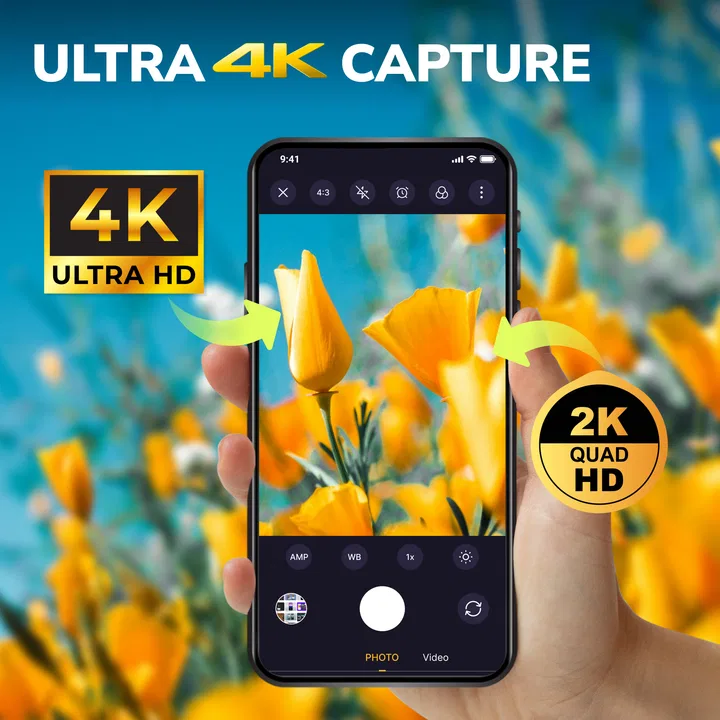
I approached Camera HD - 4K Selfie Camera as a straightforward photography app for people who want more control than their phone’s default camera offers. It is developed by Dien Tu Teach and sits in the photography category, with a free entry point and optional in-app purchases priced at $4.99 per item. The promise is appealing: use an Android phone as a digital camera for high-quality photos and video, including 4K capture where the device supports it.
My main question was not simply whether it can take a sharp picture. Most modern phones already do that reasonably well. The more useful question is whether this app makes the camera easier to approach in different everyday situations: taking a selfie with one hand, framing a shot in bright sunlight, recording a short clip while travelling, or helping someone who finds small controls and busy interfaces difficult. On that front, the experience is practical but not universally effortless.
How the camera feels to use in everyday photography
I judge a camera app by whether it still feels useful after the first few novelty shots. In this section, I’ll focus on the small choices that shape everyday use—how I prepare a shot, keep the phone steady, and decide when a separate camera interface is worth opening—before considering what makes the routine last.
You May Also Like

 AccuWeather: Weather Radar
AccuWeather Review: A Quick, Clear Forecast for Everyday Decisions
For everyday plans, the best forecast is the one you can understand quickly. AccuWeather makes rain timing, radar, and local conditions easy to act on, with a few trade-offs.

 Hill Climb Racing
Why Hill Climb Racing Still Turns Crashes Into One More Run
A tiny car, a bumpy hill and one more upgrade: Hill Climb Racing keeps resurfacing because its simple chaos makes every near-miss feel personal.

 AliExpress - Shopping App
AliExpress Makes Global Shopping Feel Personal, but Shoppers Bear the Risk
AliExpress turns a global marketplace into a pocket-sized discovery engine. Its reach is useful, its shopping loop compelling, and its trade-offs easy to miss.

 Lords Mobile: Kingdom Wars
Lords Mobile Is a Kingdom-Building Routine, Not a Quick Match
A case-by-case verdict on the building, battles, device demands, and social commitments that make Lords Mobile rewarding for some players and exhausting for others.

 PDF Scanner app - TapScanner
TapScanner Makes Paperwork Easier to Capture, Check, and Share
TapScanner makes scanning with a phone feel less like a rescue operation and more like a dependable step in getting work done. Its capture tools are useful, though not flawless.

 Block Blast!
 Shows How Much a Puzzle Game Can Leave Out
A quiet grid game shows why puzzle players increasingly value instant clarity, repeatable skill and low-pressure play—and where the genre still needs to catch up.
More From Our News Desk
View All News


A simple starting point, with an important device caveat
The app is aimed at users who want a familiar camera experience rather than a full editing suite. That focus is helpful. You open it to photograph or record, instead of moving through a large collection of social tools, filters, templates and editing panels. For a casual user, that can make the first few minutes less intimidating.
At the same time, the advertised image and video quality should be understood as a capability rather than a guarantee for every phone. The app runs on devices using Android 7.0 or later, but the final resolution, frame rate and image quality still depend on the phone’s camera hardware and system support. A budget handset may not produce the same result as a recent flagship, even when both can install the same application.
That distinction matters when deciding whether to use it as a replacement for the built-in camera. If your phone’s native app already exposes the lens, stabilization and recording settings particularly well, Camera HD may feel more like an alternative interface than a dramatic upgrade. Its value is strongest when you prefer its layout or want a dedicated camera-style option without paying at the point of download.
Readability and navigation in real use
For readability, I would judge the experience by the practical demands of photography rather than by menus alone. Camera controls need to be understood quickly, often while the subject is moving or the light is changing. Clear separation between the live preview, shutter control and mode choices is more useful than decorative graphics or dense text.
A person with good vision will probably find the basic purpose easy to understand: point, compose and capture. However, camera interfaces are naturally visual, and the live preview can make small labels or icons harder to interpret outdoors. Glare, reflections and low screen brightness can turn a simple control into a guessing exercise. I recommend increasing the phone’s display size or system text settings before shooting if you regularly struggle with small interface elements, while remembering that larger system text does not always enlarge every camera control.
One useful habit is to prepare the app before the important moment. Open the camera, choose the front or rear camera, check the framing and confirm the recording mode while you have time. This reduces the need to search for a control when a child, pet or event is already in motion. It is a small workflow change, but it makes the app more approachable for people who process visual information slowly or prefer predictable steps.
The app is also easier to use when the phone is held in a familiar orientation. Rotating a device while trying to photograph can be awkward for someone with limited hand control, and it may make the interface feel as though it has moved unexpectedly. I found that deciding on portrait or landscape before composing a shot is more comfortable than changing orientation halfway through.
Controls, hand movement and one-handed shooting
Photography often looks like a quiet activity, but it can demand precise hand movements. Holding a phone steady, reaching a shutter button and switching between cameras are separate tasks. For users with reduced dexterity, tremor or limited range of motion, the most important issue is not only whether a button exists, but whether it can be reached without disturbing the composition.
Camera HD can be useful in a one-handed situation when the subject is close and the phone is already positioned comfortably. It is less convenient when the shutter control requires a reach that makes the phone wobble. A simple grip, a stable surface or a small phone stand can make a larger difference than changing an image setting. I would also avoid relying on a loose grip while recording video; a steadier hold improves both safety and the final footage.
For a realistic everyday example, imagine photographing a meal while travelling. One hand may be holding a bag, a walking aid or a menu, leaving only the other hand for the phone. The app can handle the capture itself, but the success of the shot depends heavily on how accessible the phone’s physical position is. Setting up the framing first and using a stable support can turn a frustrating moment into a quick photo.
Selfies create a different challenge. They require the user to frame a face while holding the phone away from the body, and small adjustments can easily move the subject out of view. The front-camera focus of the product name makes it relevant for this use, but I would still treat it as a practical camera rather than assume it includes every hands-free or gesture-based option found in specialist selfie tools. If you need remote triggering, voice control or extensive accessibility shortcuts, the phone’s built-in features may be the better place to look.
Light, sound and sensory context
Photography apps are strongly affected by the environment. Bright sunlight can reduce screen readability, while dim rooms make it harder to judge focus and framing. People who are sensitive to sudden flashes or bright visual changes should be cautious with any camera application and test it in a controlled setting first. The app’s suitability depends not only on its interface but also on the phone display, camera hardware and surroundings.
Video adds an audio dimension. Someone who is hard of hearing may be able to record perfectly well but may not notice environmental noise, voices becoming distant or a recording starting without checking the screen. I recommend making a short test clip and playing it back before recording something important. This is especially helpful for interviews, family messages and school or work material, where a clear picture is not enough.
For users who are sensitive to sound, a quiet preview and a deliberate recording routine can be preferable to repeatedly starting and stopping clips. The key is to decide what the scene requires before pressing record. A short test also helps reveal whether the phone is positioned too far from the speaker or whether a hand is covering part of the device.
Situational access: travel, family moments and quick video
The app makes the most sense when you want a dedicated camera-style workflow for ordinary moments. A parent can prepare it before a child’s activity, a traveller can use it for landmarks and short clips, and a small business owner can capture product images without opening a separate editing platform. The free download lowers the barrier for trying it, particularly if you are unsure whether a different camera interface will suit you.
Its support for high-resolution capture can also be useful when you expect to crop a photo later or display video on a larger screen. Still, higher resolution creates a practical trade-off: files can take more storage and may take longer to process or share. If your phone has limited free space, I would avoid recording long sessions at the highest available setting. For a short family clip, the extra detail may be worthwhile; for casual documentation, a lighter setting may be easier to manage.
That is one of the app’s less obvious decisions. The best setting is not always the highest one. A large video file can become an accessibility problem if it is difficult to transfer, edit or send. Someone assisting a family member may find a shorter, smaller clip much easier to organize than a long recording that fills the device. Camera HD is therefore most useful when its quality options are matched to the final purpose rather than selected automatically.
Another practical consideration is preparation for unstable surroundings. If you are taking pictures on a moving bus, in a crowded market or during a walk, a simple interface helps only if the phone remains secure. A wrist strap, case with a reliable grip or stable resting point can reduce the need for precise finger control. These are not special features of the app, but they change how accessible the complete photography task becomes.
Where it compares well with the usual camera app
The default camera application has one major advantage: it is already integrated with the phone. It usually understands the device’s lenses, gallery, system shortcuts and hardware buttons. It may also offer clearer support for features specific to that handset. If you need the most dependable access to every native camera function, I would begin with the built-in option.
Camera HD is more attractive when you want a separate, uncomplicated camera experience and your phone’s standard app feels cluttered or awkward. It can also be a useful second option for testing a different control arrangement. The free entry point makes that comparison easy, although the presence of $4.99 in-app purchase items means you should pay attention to any optional upgrade prompts before confirming a purchase.
Compared with a specialist manual camera, this app is likely to appeal more to people who want quick shooting than to photographers who carefully adjust exposure, focus, white balance and other technical controls. A manual camera can be better for deliberate landscape work, night photography or consistent product shots. Camera HD is the more sensible choice when the priority is getting the moment captured without turning the phone into a complicated control panel.
It also differs from social camera apps. Those alternatives often emphasize filters, sharing and immediate visual effects. Camera HD is better suited to users who want the camera step first and would rather edit or share afterward. That can be a positive for people who find social interfaces distracting, but it may disappoint anyone expecting built-in creative tools or a community-oriented workflow.
Remaining barriers and points to check before relying on it
The first barrier is hardware variation. The application can be installed on Android 7.0 or newer, but installation eligibility does not mean every phone will offer the same camera results. Before depending on it for an event, test the front and rear cameras, record a short video and review the saved file. This catches problems with resolution, sound, storage and handling before they matter.
The second barrier is the physical design of the phone. A camera app cannot remove the difficulty of holding a slippery device, reaching a distant control or seeing a screen in harsh light. Users with limited dexterity may need a stand or another person’s help for longer recordings. Users with low vision may find the preview itself challenging even when the controls are understandable.
The third is the balance between free access and optional purchases. The app is available without an upfront price, but optional items cost $4.99 each. I would use the free experience first and decide whether it actually solves a problem before buying anything. This is particularly important if you are choosing the app for someone else, because an interface that seems helpful may still require a different workflow or external support.
Privacy and permission choices should also be treated carefully with any camera application. Review the access requests shown by your device and allow only what you are comfortable using. A camera cannot function without appropriate camera access, and video may need microphone access if you want sound, but you should still understand each prompt rather than approving everything automatically. This is a good practice for users who receive help managing their phones.
The app’s public standing is mixed but meaningful: it has an average rating of 3.6 from around 122 ratings, with three written reviews. That suggests some people find it useful while the experience is not universally convincing. I would interpret that as a reason to test it on your own handset rather than treating the rating as a final verdict. The developer is Dien Tu Teach, and the current release is version 1.0.4, so keeping expectations practical is sensible when comparing it with long-established camera software.
Who should use it, and who should choose something else
I would recommend Camera HD to someone who wants a free photography app with a focused camera purpose, needs an alternative to the phone’s standard camera and is comfortable checking how the app behaves on their particular device. It is also a reasonable option for casual selfie users, short video recording and everyday photos where a separate camera interface feels more convenient.
I would be more cautious about recommending it to a photographer who needs dependable manual controls, advanced stabilization, extensive accessibility customization or a carefully documented professional workflow. In those situations, a native camera app or a specialist camera tool may provide better control and more predictable hardware integration.
It may also be the wrong choice for someone who needs fully hands-free operation. Holding, framing and pressing a shutter remain physical tasks, and the app should not be treated as an accessibility solution simply because it is simple to open. A user with significant motor limitations may need phone-level voice commands, switch access, a remote shutter or assistance from another person. Those needs should guide the decision more than the promise of high-resolution capture.
My inclusive verdict after weighing the trade-offs
Camera HD is a useful, approachable option for basic photography and video, especially when you want a separate camera experience without paying to download it. Its strongest quality is focus: it is built around taking pictures and recording rather than surrounding the user with a large creative platform. That can help people who prefer a short, repeatable process.
Its accessibility is conditional rather than automatic. Readability depends on the phone screen and lighting, physical comfort depends on the handset and grip, and video usability depends on storage, sound and the user’s ability to keep the device steady. The app can fit many everyday contexts, but it does not remove the barriers created by camera hardware or the demands of photography itself.
My practical recommendation is to install it, test a selfie and a short video, inspect the saved results, and try the controls in both bright and dim surroundings. If that routine feels comfortable, the app is a sensible free addition to your photography tools. If you need advanced controls, reliable hands-free capture or strong device-specific integration, stay with the native camera or choose a specialist alternative. For the right user, the real benefit is a focused camera workflow that is easy to try, but worth evaluating on the actual phone and in the actual situations where it will be used.
FAQs for Camera HD - 4K Selfie Camera
01What features does Camera HD - 4K Selfie Camera offer?
Camera HD - 4K Selfie Camera provides a range of features including 4K video recording, real-time filters, and advanced editing tools. It also offers manual controls for ISO, shutter speed, and focus, allowing users to capture professional-quality images. The app supports both front and rear cameras, making it ideal for selfies and scenic shots.
02Is Camera HD - 4K Selfie Camera compatible with my device?
Camera HD - 4K Selfie Camera is compatible with most modern Android and iOS devices. However, to fully utilize the 4K recording feature, your device should support 4K resolution. Ensure your device meets the app's system requirements for optimal performance and check the app store for compatibility details.
03Does Camera HD - 4K Selfie Camera support in-app purchases?
Yes, Camera HD - 4K Selfie Camera offers in-app purchases. While the app provides a variety of free features, users can purchase additional filters, effects, and editing tools. Subscriptions may also be available to unlock premium features and remove ads, enhancing the overall user experience.
04How can I share photos and videos taken with Camera HD - 4K Selfie Camera?
Sharing photos and videos from Camera HD - 4K Selfie Camera is straightforward. The app integrates seamlessly with social media platforms like Instagram, Facebook, and Twitter. Users can share their creations directly from the app, ensuring quick and easy posting. Additionally, files can be saved to the device for sharing via other methods.
05Is Camera HD - 4K Selfie Camera user-friendly for beginners?
Camera HD - 4K Selfie Camera is designed with user-friendliness in mind, offering an intuitive interface that is accessible to beginners. The app includes a tutorial and helpful tips to guide users through its features. While advanced features are available, the basic functions are easy to navigate, making it suitable for all skill levels.
Pros
- High-quality 4K video recording.
- Intuitive and user-friendly interface.
- Wide range of filters and effects.
- Fast shutter speed for quick shots.
- Supports manual controls for pros.
Cons
- Ads can be intrusive at times.
- Limited features in the free version.
- Requires high storage for 4K videos.
- Occasional crashes on older devices.
- Lacks advanced editing tools.

Camera HD - 4K Selfie Camera
Gallery